10x Optimization of
Scientific Workflow
Overview
In early 2025, our team was approached by our business stakeholder with a clear challenge: one of the most critical scientific workflows in early research was having significant inefficiencies. They asked if we could help optimize it using our internal digital tool.
NDA Disclaimer
This case study describes work conducted under a confidentiality agreement with Novo Nordisk. To respect the terms of the NDA, specific product names, internal processes, and proprietary details have been intentionally omitted or generalized. The content focuses on high-level design strategy, methodology, and outcomes without disclosing sensitive or protected information.
Role
Senior UX/UI
Designer
UX Research
User Flows
Facilitation
UX & UI Design
User Testing
Time
Jan - May
2025
5 Month project
The Challenge
Our first challenge was to deeply understand the workflow. Through a series of user interviews with scientists, lab technicians, and data scientists, I uncovered how the process functioned both offline in the lab and online across various digital tools. One major pain point quickly emerged: despite using our internal product, the team still relied heavily on manual work, particularly transferring over 30 files one by one, which was time-consuming and error-prone.
The Plan
To tackle the workflow optimization challenge effectively, I developed a structured plan that guided our process from discovery to delivery. The plan focused on deep understanding, collaborative prioritization, and iterative design.
1. Discovery & Research
Conducted in-depth user interviews and contextual inquiries through lab tours with scientists, lab technicians, and data scientists involved in the workflow.
Mapped the full workflow, both offline (lab activities) and online (digital tools), to identify friction points and tool dependencies.
2. Analysis & Findings
Synthesized research findings into journey maps and pain point clusters.
Identified key inefficiencies such as redundant steps, unclear handoffs, and tool fragmentation.
3. Solution Framing
Proposed targeted improvements to our internal tool to better support the workflow.
Framed the value of these changes in terms of time savings, reduced errors, and improved collaboration.
4. Collaborative Prioritization
Facilitated a prioritization workshop with the development team and stakeholders.
Used an Impact vs. Effort matrix to evaluate proposed improvements and align on a feasible roadmap.
5. Iterative Design & Feedback
Established a weekly feedback loop with the workflow team and developers.
Presented design proposals, gathered user and technical feedback, and refined solutions continuously.
6. Delivery & Validation
Worked closely with developers to implement improvements in phases.
Validated each release with users to ensure it addressed real needs and integrated smoothly into their workflow.
Discovery & Research
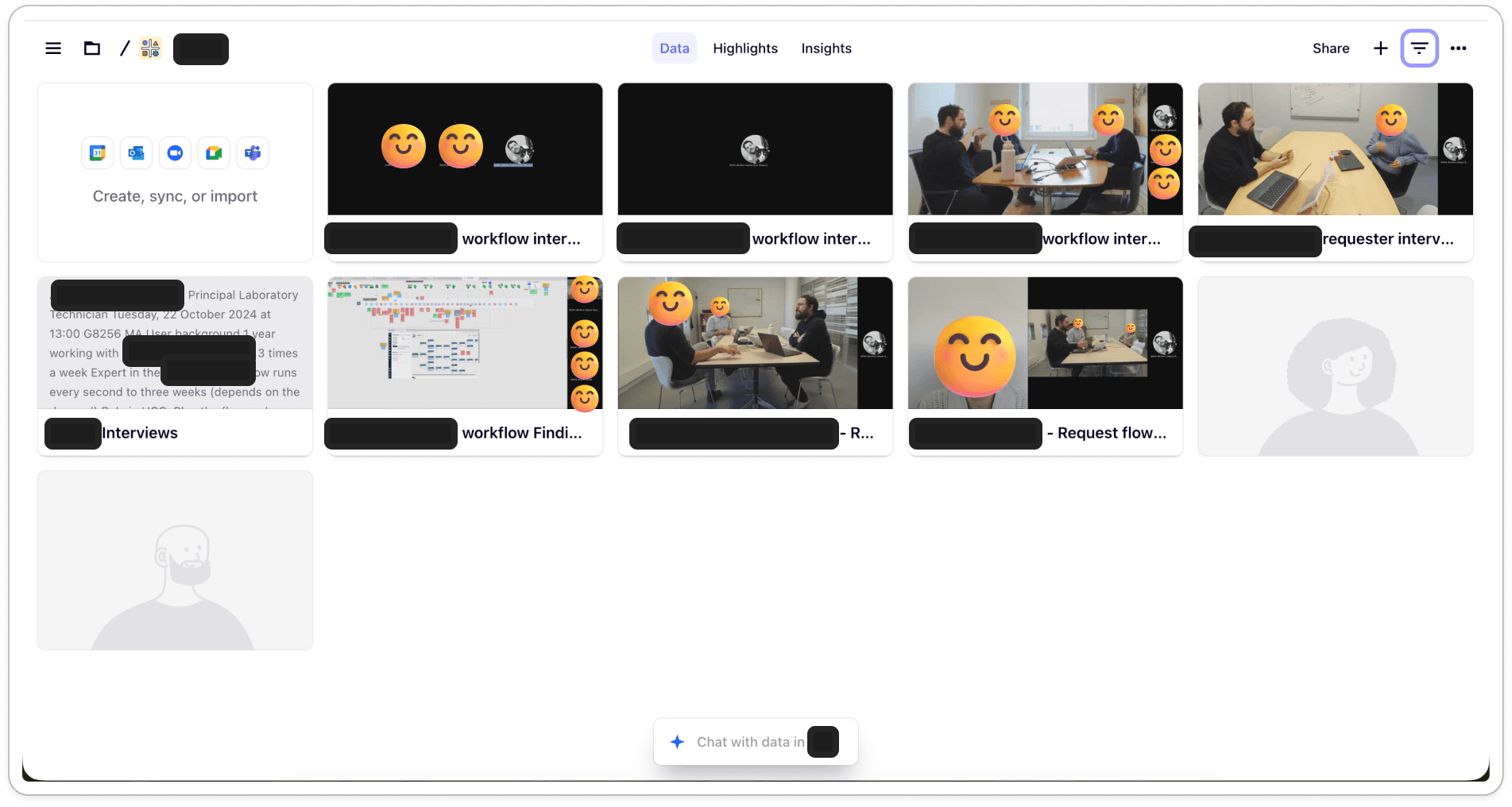
To gain a deep understanding of the users and their workflows, I conducted research with six participants, a mix of scientists, lab technicians, and data scientists. This diverse group allowed me to explore how different roles interact with laboratory data, tools, and processes on a daily basis.
The research process combined semi-structured interviews and contextual inquiries. The interviews helped uncover each participant’s goals, pain points, and typical workflow, while the contextual inquiries provided valuable insights into their real-world environments, the tools they relied on, and how these tools fit (or sometimes didn’t fit) into their daily routines.
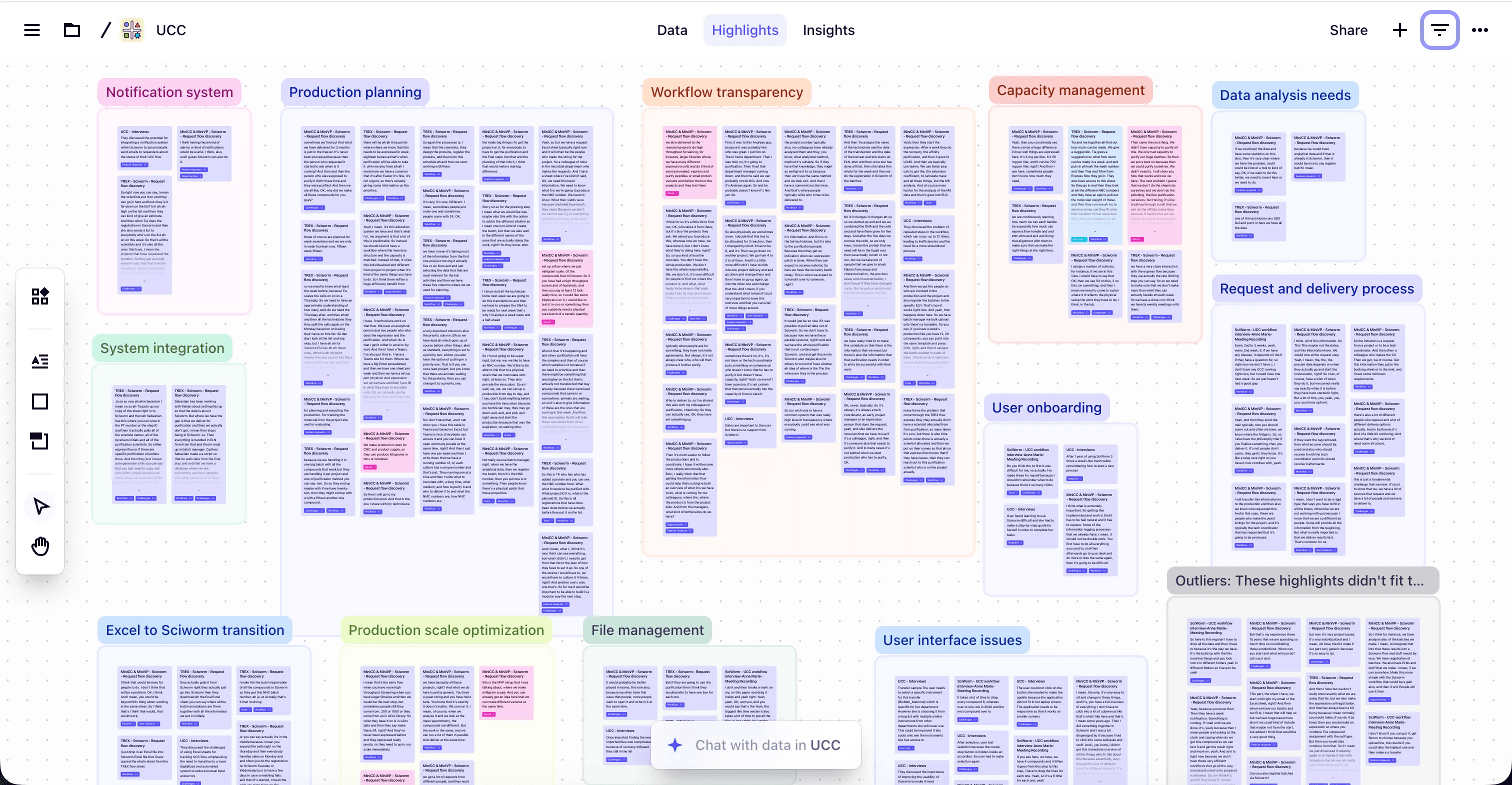
This project was also my first time using Dovetail to manage and analyze research data. I was pleasantly surprised by how easy it was to organize all my notes, recordings, and tags within a single platform. Dovetail’s AI-assisted features proved especially powerful during the analysis phase, helping me quickly identify patterns, cluster related insights, and surface emerging themes across participants. Overall, it streamlined my workflow and allowed me to focus more on interpreting insights rather than manually sorting through data.
Analysis & Findings
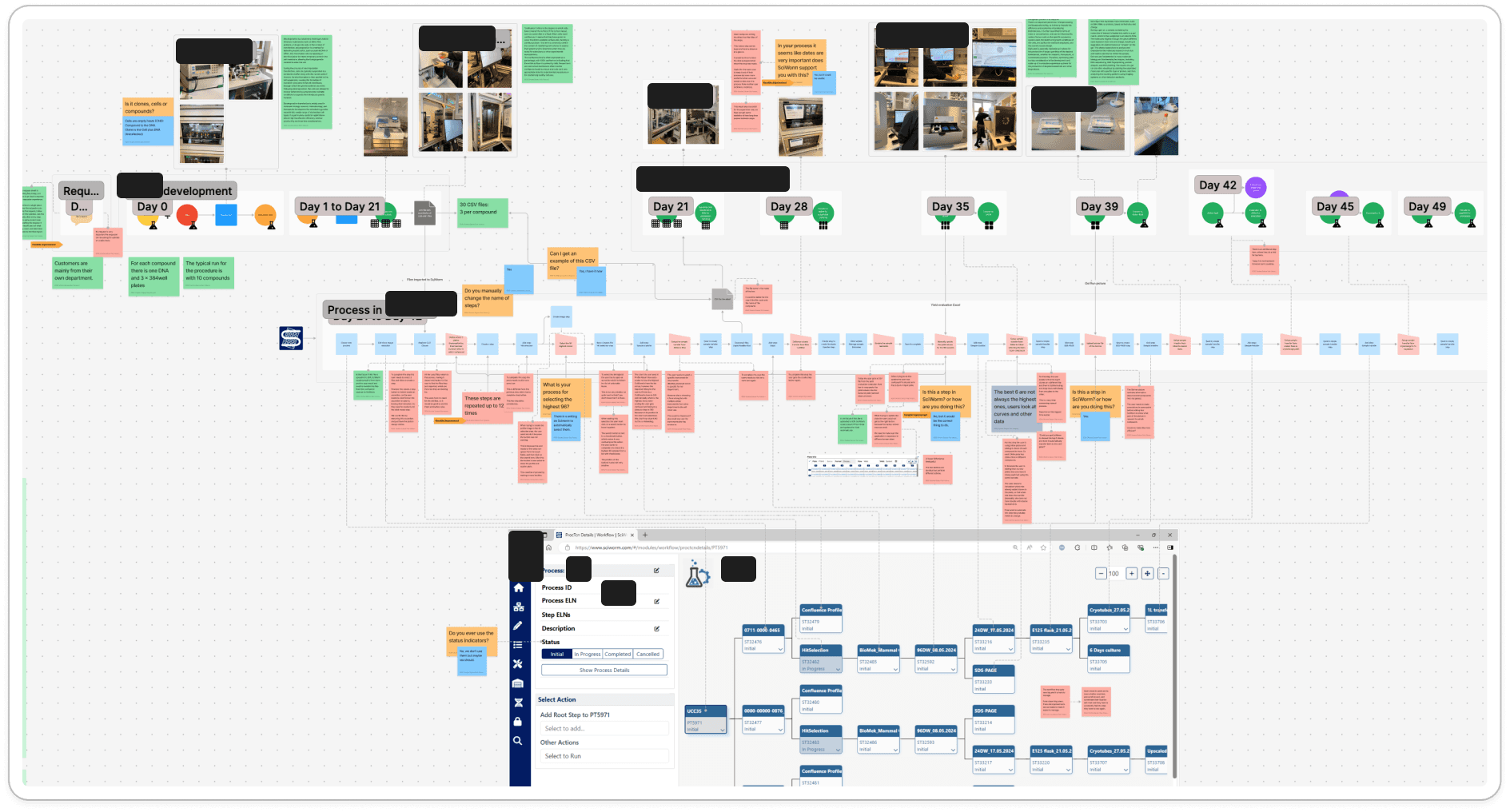
After completing the interviews and contextual inquiries, I synthesized all the insights into a comprehensive workflow map that followed users’ end-to-end journey, from their interactions with various digital tools (including our application, Excel, Teams, and Outlook) to their hands-on work in the lab. I mapped how data moved between these environments, flowing from digital tools into lab machines, and then back from the machines into digital systems again.
This mapping exercise was instrumental in identifying the pain points, inefficiencies, and roadblocks encountered along the way. By visualizing the entire ecosystem, it became clear where processes broke down, where manual workarounds appeared, and where our product could deliver more value.
During this analysis, I also identified an unexpected new user type: “The Requester.” This role emerged as a key participant in the workflow, responsible for initiating and tracking experiment requests but not directly conducting the lab work. Recognizing this gap led us to take an iterative step back into research to conduct an additional interview with a requester, allowing us to better understand their specific goals, challenges, and unmet needs.
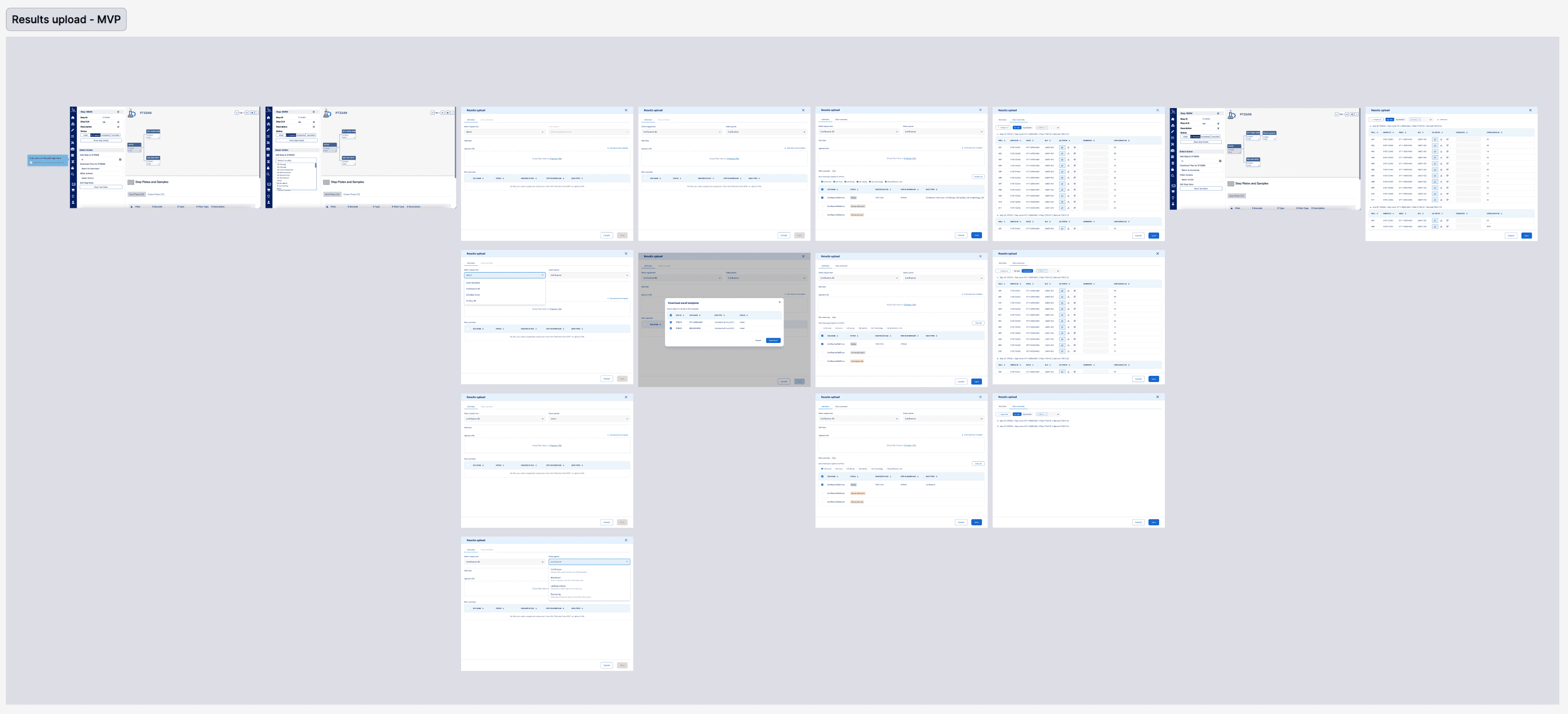
The most significant insights from the analysis were related to workflow scalability. For this particular workflow, users were running up to 10 experiments in parallel, while our tool had been designed to support only one experiment at a time. This mismatch resulted in extensive repetitive work; users had to repeat the same sequence of actions for each experiment. The most critical friction point occurred during the data import process, where users needed to download three files per experiment from lab machines and manually import all 30 files into our application. This step represented a major bottleneck and a clear opportunity for optimization.
Another key finding emerged regarding how users initiated and managed requests within their workflow. We discovered that this process was highly manual and fragmented, relying heavily on communication channels such as Microsoft Teams, Outlook, and in-person conversations. While these tools facilitated communication, they lacked the structure and features necessary for effective request management.
As a result, important details; such as what data was needed to fulfill a request or the specific parameters of an experiment, were often lost or buried in long message threads or scattered across multiple Excel sheets and systems. This fragmentation made it difficult to track progress, created coordination challenges between teams, and led to a lack of transparency about the overall workflow status. Stakeholders were frequently unaware of ongoing progress or results.
Solution Framing
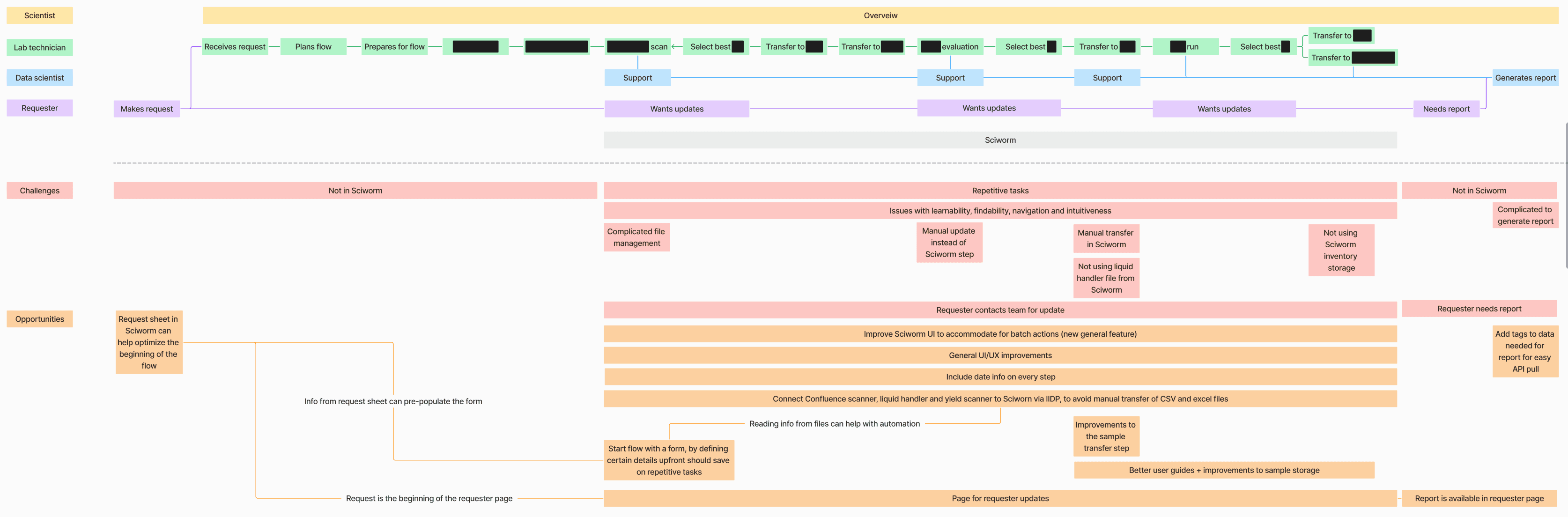
After analyzing all research insights, I created a streamlined version of the user workflow map to better communicate the complexity of the ecosystem and frame opportunities. This refined version visualized the entire process across multiple layers, helping stakeholders clearly see how different users, tools, and problems interconnected.
The first layer represented the core workflow, mapping each step of the process and highlighting how the different user types: scientists, lab technicians, data scientists, and requesters, collaborated and interacted with various digital and physical tools. This provided a clear, end-to-end view of how data and responsibilities moved across roles and systems.
The second layer focused on pain points and inefficiencies uncovered during the research phase. By overlaying these directly on top of the workflow, it became much easier to pinpoint where friction occurred, where manual effort accumulated, and where coordination broke down.
Finally, the third layer introduced initial solution ideas aimed at addressing the most critical pain points. These suggestions weren’t yet full design concepts but rather directional hypotheses, potential opportunities for improving workflow scalability, automating repetitive tasks, and creating a more connected request management experience.
This layered mapping approach became a key communication artifact within the project. It helped align the team around a shared understanding of the problem space and set the foundation for ideation and design prioritization in the following phase.
Collaborative Prioritization
With the research insights and initial solution ideas in place, the next step was to validate and prioritize them collaboratively. To do this, I organized a workshop that brought together all previously interviewed users, members of the development team, and several key stakeholders from across the organization.
I began the session by presenting my research findings and walking participants through the workflow map and key insights. This step was invaluable; not only did it help ensure that my analysis accurately reflected real user experiences, but it also allowed the users themselves to validate and expand upon the findings. Their feedback confirmed that the main pain points and opportunities identified resonated strongly with their day-to-day challenges.
Next, I introduced my initial solution proposals and facilitated a prioritization exercise where users collectively ranked these ideas based on their perceived value and urgency. This user-driven prioritization helped highlight which improvements would have the greatest impact from their perspective.
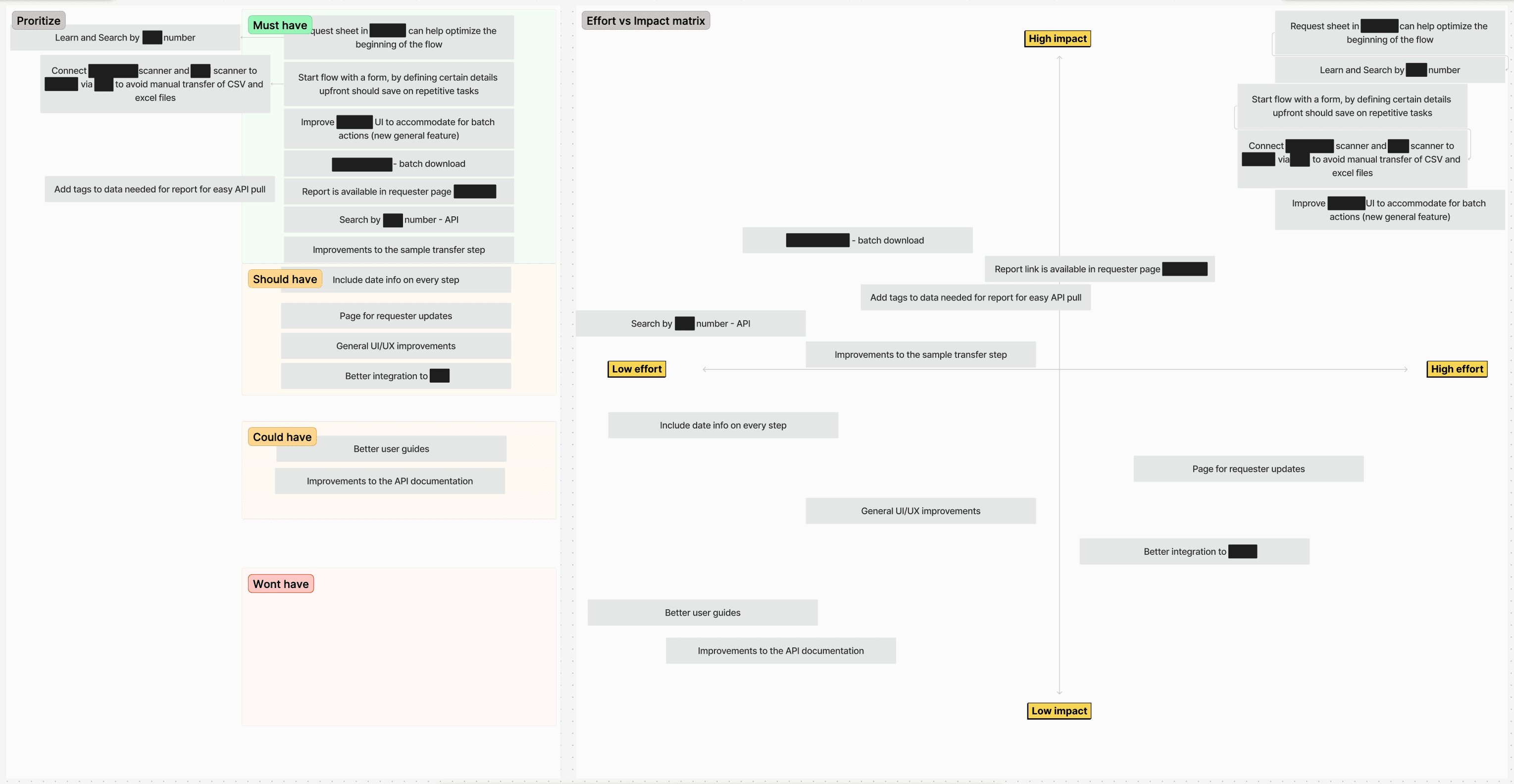
Afterward, we conducted an impact vs. effort matrix exercise with the development team. This allowed us to evaluate each proposed solution from a technical and implementation standpoint, understanding which ideas would be quick wins and which would require more substantial investment.
By combining user impact and development effort, we created a clear, actionable list of prioritized solutions. This list identified the “low-hanging fruit”; high-impact, low-effort opportunities that could deliver immediate value to users, while also laying the groundwork for addressing more complex challenges in future iterations.
Iterative Design & Feedback
With a clear set of prioritized opportunities, we began addressing them from the top of the list. The highest priority was to improve the request feature in our tool, enhancing how existing users interacted with their stakeholders (the requesters) and enabling requesters to become active users themselves. The goal was to create a seamless experience for submitting, managing, and tracking experiment requests directly within our platform.
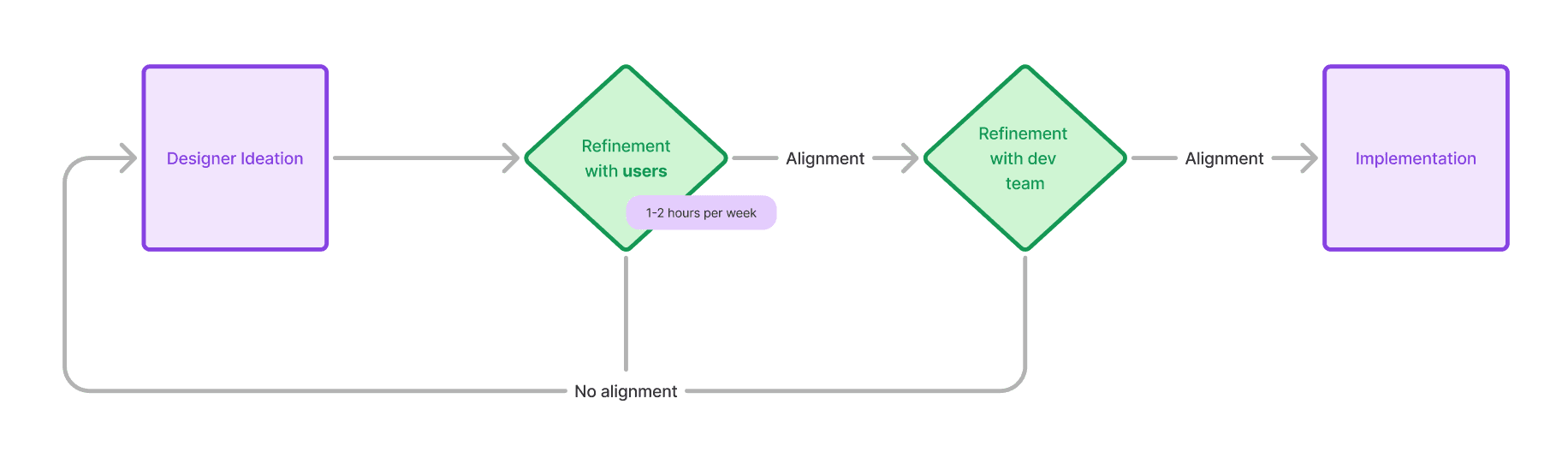
We adopted an iterative and collaborative design process, structured around weekly feedback sessions with a group of user representatives. In each session, I presented new design proposals or updates based on the previous week’s feedback. This continuous loop of design → feedback → refinement allowed us to move quickly while ensuring the evolving solutions stayed grounded in real user needs.
Parallel to user collaboration, I also maintained close alignment with the development team. We met weekly for more formal reviews and worked side-by-side on a daily basis, discussing smaller design or technical details in an informal, ongoing manner. These tight feedback loops between design, users, and development helped us validate ideas early, adjust to technical constraints efficiently, and maintain momentum throughout the process.
This iterative workflow enabled us to rapidly prototype, validate, and refine solutions until we reached a strong, user-approved direction. Once the request feature reached a solid and validated stage, we moved on to the next item in the prioritized list, continuing to build on the same collaborative, feedback-driven approach.
Delivery & Validation
Once the designs reached a validated stage, I worked closely with the development team to implement the improvements in phases. This incremental approach allowed us to deliver value to users early and frequently, while also reducing risk by validating each release before moving on to the next.
After every release, we conducted user validation sessions to ensure the new features addressed the intended pain points and integrated smoothly into existing workflows. Gathering feedback directly from users in their real work context helped us quickly identify any adjustments needed and continuously refine the experience.
To support adoption, I created step-by-step guides using Scribe, providing clear, visual instructions that helped users understand and engage with the new features. These lightweight guides proved effective in reducing onboarding friction and promoting confident use of the improved workflows across teams.
Impact & Reflections
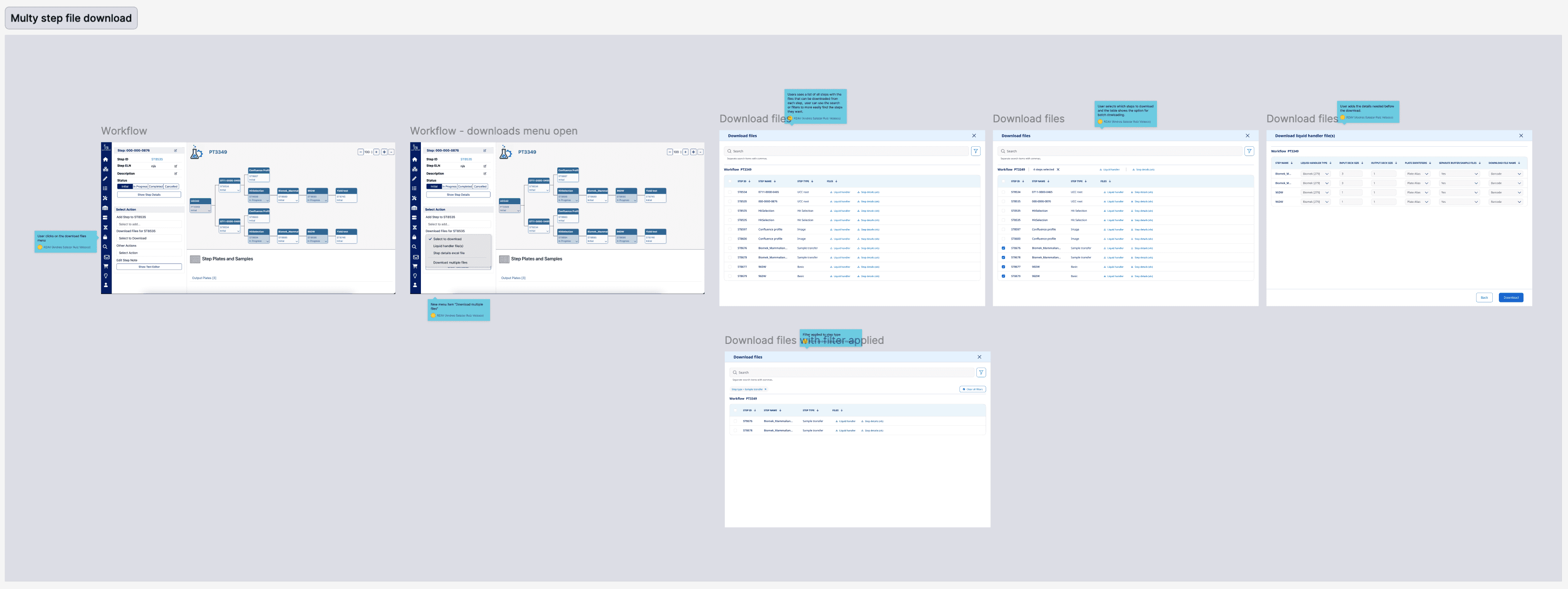
One of the most rewarding outcomes of this project was seeing the bulk actions feature come to life in production. From the very beginning, I had identified repetitive manual work, especially the need to import multiple experiment files one by one, as one of the users’ most critical pain points. Designing and delivering a solution that enabled them to perform actions across multiple experiments simultaneously was a breakthrough.
The impact was immediately visible. Users reported that their efficiency improved tenfold, and tasks that previously took significant time and effort could now be completed in minutes. What made this achievement even more fulfilling was that the improvement didn’t just benefit the initial target group for this workflow; it quickly became valuable to all users of the platform. We received enthusiastic feedback from teams with similar parallel workflows, who shared how much faster and smoother their work had become.
Reflecting on the process, this project reinforced the value of iterative, collaborative design and the power of grounding every decision in real user insights. From initial discovery to delivery, maintaining close feedback loops with users and developers allowed us to build solutions that truly made a difference. It was a powerful reminder that thoughtful design, when aligned with real-world needs, can have a meaningful and lasting impact.